Quick answer
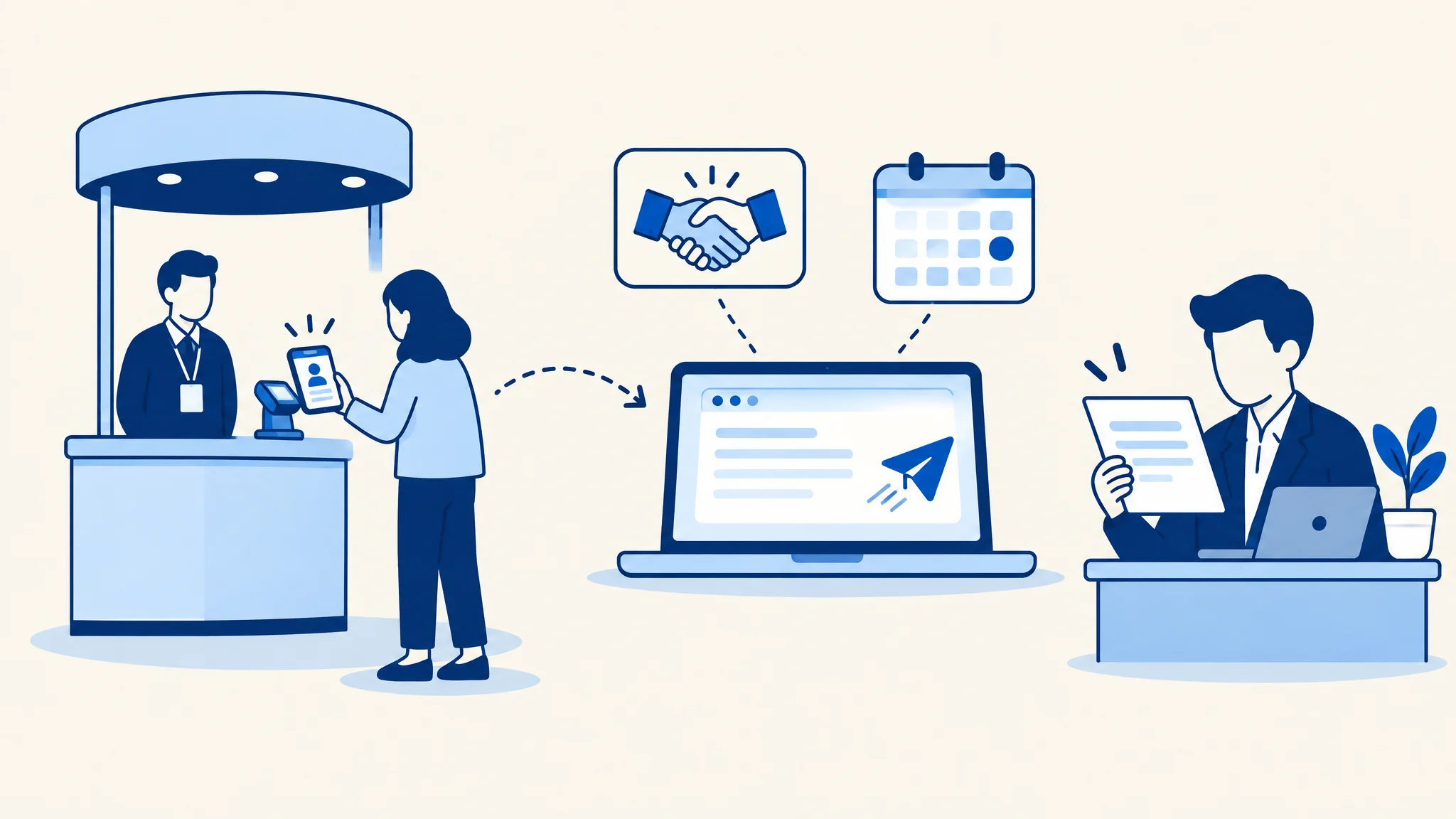
A good trade show follow-up email matches what actually happened at the event. Send a different email for a booth scan, a booth demo, a meeting, a dinner and a no-show. Mention one real detail from the conversation, ask for one next step, and log a status in your CRM so marketing can see the email went out.
- Pick the template by signal, not by event
- Use one detail only someone in the room would know
- Send within 24 to 48 hours, depending on the signal
- Log a status when the email goes
Context beats speed
Most follow-up advice stops at speed: send it within 24 hours. Speed matters, but in our conversations with 108 B2B field and event marketing teams, the bigger problem was follow-up that never happened, or that happened with no memory of the conversation. 29 of those teams told us the work after the event simply doesn't get done.
A fast email that could have gone to anyone reads like the automation it is. Teams told us a one-to-one email from a named person lands better than anything that looks bulk-sent. One team found that AI-personalised outreach came across as generic, and a plain template with one real line in it did better. That is why every template below has a slot only the person who was there can fill.
Speed still counts when it protects that context. One team spends 30 to 60 minutes finding email addresses by hand rather than wait two days for enrichment, because the conversation goes cold faster than the data arrives.
When to send each email
Timing depends on the signal. Someone who asked for a demo is waiting for a call. A dinner guest is waiting for nothing, which is why a thoughtful note two days later still lands.
Your lead data won't always keep up. Teams told us scans can take hours, and sometimes one to two weeks, to reach the CRM. One capture integration added a two-hour sync delay and wouldn't sync a lead at all until someone added qualification notes. If your scans arrive late, send from the booth notes, not the export.
- 1
Same day
While the room is still fresh
- 2
Within 24 hours
Before the inbox fills back up
- 3
Within 48 hours
Personal notes that need a real line
Why the handoff note exists
The person who had the conversation is often not the person who sends the follow-up. At dinners especially, field marketers act as note-takers. They listen, collect what each guest said, and pass it to the account executive or customer success manager. Our guide to planning an executive dinner builds that role into the evening. Without the note, the rep's email starts from a name and a company, and it sounds like it.
The note fixes a quieter problem too. Teams already sort leads into tiers such as reach back out now or keep warm, but they apply those tiers by hand, often in a spreadsheet nobody opens again. One note per account, with the tier, the promise you made and a deadline, gives the rep everything needed to pick the right template below.
Six trade show and event follow-up email templates
Each template has a subject line and an alternative, when to send it, who should send it, and the CRM status to log once it goes. The highlighted brackets are the parts to fill in. Copy the email into your inbox, sequence tool or CRM.
If your SDRs already add event leads to a sequence, use the matching template as the first step of that sequence rather than a separate send.
Template 1
Booth scan
A badge scan plus a short conversation. Light interest, so keep the ask small and easy to say yes to.
- When to send
- Within one business day of the show closing
- Who sends it
- The rep who spoke to them, or the field marketer if no rep was there
Subject: Good to meet you at [Event name]
Or try: [First name], the [topic] note I promised
Hi [First name], Thanks for stopping by our booth at [Event name]. You mentioned [one detail from the conversation, e.g. your team is replacing its current tool before next quarter]. Here is the [resource you promised or one relevant link] that speaks to that. If it would help to compare notes with someone who works on [topic] every day, I'm happy to set up 20 minutes. If now isn't the right time, no problem at all. [Your name] [Title], [Company]
Log in your CRMBooth visit: contacted
If the scan has no conversation note, send the light version without a meeting ask, or hold it for a nurture email. A made-up detail is worse than none.
Template 2
Demo at the booth
They watched a demo or asked to see more. This person is expecting a call, so the email has to arrive fast and offer a real time.
- When to send
- Same day, or first thing the next morning
- Who sends it
- The person who ran the demo, or the account owner, copying each other
Subject: Your [Product] demo from [Event name], and next steps
Or try: Following up on the [use case] walkthrough
Hi [First name], Thanks for spending time at our booth at [Event name]. You asked how [Product] would handle [their specific question or use case], so I've pulled together [a short recording / the two screens we looked at / a one-page summary]. The next step we talked about was [a fuller demo with your team / a look at your own data / pricing for your setup]. Do either of these work? [Option 1: Day, time, time zone] [Option 2: Day, time, time zone] If someone else on your team should join, send me their name and I'll include them. [Your name] [Title], [Company]
Log in your CRMDemo at booth: meeting requested
Check the lead's status before you send. If a demo request was logged as a plain booth visit, this person gets the wrong email, or none.
Template 3
Meeting held at the event
A booked meeting took place on site. Recap what you heard and confirm the one next step you both agreed.
- When to send
- Within 24 hours
- Who sends it
- The account owner who took the meeting
Subject: Recap from our meeting at [Event name]
Or try: [Company name] and [Your company]: notes and next step
Hi [First name], Thanks for making time for us at [Event name]. Here is what I took away: - [Their priority or challenge, in their words] - [What they are using or doing today] - [What a good outcome would look like for them] We agreed the next step is [next step] by [date]. I've [sent the invite / attached the document] so it's on your calendar. If I've got any of that wrong, reply and I'll fix it. [Your name] [Title], [Company]
Log in your CRMMeeting held: next step booked
Write the three bullets on the show floor, between meetings. By the flight home the details have blurred together.
Template 4
Executive dinner guest
A senior guest who gave you an evening. Thank them personally and refer to something they said at the table.
- When to send
- Within 48 hours, ideally the next morning
- Who sends it
- The executive host, with a separate note from the account owner
Subject: Thank you for joining us on [Day]
Or try: [First name], following up on [dinner topic]
Hi [First name], Thank you for joining us at [Venue] on [Day]. I enjoyed hearing [one specific point they made at dinner]. [Optional: The article / benchmark / introduction you mentioned is here: [link or name].] If it would be useful to continue the conversation, [account owner name] on my team would be glad to find a time. Either way, I hope we see you at the next one. [Host name] [Host title], [Company]
Log in your CRMDinner attended: host and owner follow-up sent
Draft the note before the dinner and add the personal line the same night. Teams that pre-write follow-up are the ones whose follow-up actually goes out.
Template 5
Registered no-show
They registered and didn't come. Assume a busy week, not a lost interest, and give them the useful part of what they missed.
- When to send
- Within two business days
- Who sends it
- The field marketer or the account owner
Subject: Sorry we missed you at [Event name]
Or try: What you missed at [Event name], in two minutes
Hi [First name], We missed you at [Event name] on [Day]. No problem at all, these weeks fill up fast. The short version of what we covered: [one or two sentences, or a link to the recording, slides or recap]. We're running [next event or session] on [date] in [city or format]. Want me to save you a spot? Or if a short call is easier, [account owner name] can walk you through it. [Your name] [Title], [Company]
Log in your CRMRegistered, no-show: contacted
Skip the guilt. A no-show from a target account is still a warm contact, and the next invite is often the right ask.
Template 6
Handoff note: marketing to rep
An internal note, not a customer email. It gives the rep the context from the room so their follow-up sounds like the conversation happened.
- When to send
- The same day the event ends
- Who sends it
- The field marketer, to the named account owner
Subject: [Event name] follow-up: [Contact name] at [Company]
Or try: Your [number] follow-ups from [Event name]
Hi [Rep first name], [Contact name], [title] at [Company], [visited the booth / saw a demo / attended the dinner] at [Event name] on [date]. What they talked about: [one or two lines from the conversation] Interest level: [Tier 1: wants a meeting / Tier 2: interested, not urgent / Tier 3: keep warm] What we promised: [resource, intro, demo, pricing] Suggested template: [booth scan / booth demo / meeting held / dinner / no-show] Please follow up by: [date] CRM record: [link] Once you've sent it, update the status to [status] so I can see it went out. If this person isn't yours, reply and I'll reroute it today. Thanks, [Your name]
Log in your CRMHanded off: owner assigned
One note per account, not one spreadsheet per show. A rep acts on a named person with a deadline far faster than on row 214 of an export.
Showing template 1 of 6. Pick a signal above to switch.
Statuses to log so marketing can see follow-up happened
Templates get the email written. Statuses show it was sent. Across our conversations, the same complaint came from teams with very different tools: data reaches the CRM, the dashboards are live, and marketing still can't tell whether anyone reached out, because reps don't update the record. Marketers scan the badges and then lose sight of what happens next.
That blind spot has a cost. One team stopped buying badge scanning altogether because sales never worked the leads. When capture can't show follow-up, capture is the line item that gets cut.
Keep the list short enough that reps will use it. Five statuses are enough.
- 1
Captured
Scan, demo, meeting or attendance is on the record with a one-line note and the right signal.
MarketingAt the event - 2
Handed off
A named owner has the handoff note and a follow-up date.
MarketingSame day - 3
Contacted
The follow-up was sent. This is the status marketing most often can't see.
RepWhen the email goes - 4
Replied or meeting booked
The contact answered, or a next step is on the calendar.
RepAs it happens - 5
Opportunity or not now
Either pipeline opened on the account, or the contact moves to keep warm with a reason.
RepWithin your attribution window
The stall rule: any record still at "Handed off" after its follow-up date gets one nudge to the owner, then gets rerouted.
Log one status on one record per person, and update it as things move. 36 of the 108 teams we spoke with said their CRM integration runs one way only or can't span the two systems they use, and re-syncs that create new records instead of updating old ones leave duplicates that inflate the numbers you report. Pick the system that holds the status, usually the CRM, and keep it there.
Statuses also make attribution possible. 40 of the 108 teams told us they can't prove what their events produced. Some of the least-tooled teams have it working anyway, because they agreed what to count, such as any opportunity with a contact who attended within the last 90 days. Your statuses give that rule something to count.
Five checks before you hit send
Most follow-up mistakes happen before the email is written. Run these on the list first.
- 1
Check the signal is right
At one team, a capture tool's status mapping broke and demo requests arrived tagged as booth visits. People expecting a call didn't get one, and people who didn't want one did. Confirm the tag before you pick the template.
- 2
Match the person to the account
Registrants type their own company name, so it often won't match the account in your CRM. Match first, so the email comes from the right owner and lands on the right record.
- 3
Confirm you can email them
Consent rules in some regions, such as EMEA and Brazil, and the contracts of some large shows limit how you can contact scanned leads. Check before you send.
- 4
Tier large lists
One show can produce more than 500 scan records, and at one team only about a quarter of the shows they attend offer lead retrieval at all. Give Tier 1 a personal email and send the rest the lighter booth scan version.
- 5
Send from a person
Put a named rep or host in the From line. A one-to-one email from someone the contact met beats anything that looks bulk-sent.
Templates are the easy part
Our post-event follow-up framework argues that templates alone don't fix follow-up, and we stand by that. An email goes out when seven links hold: event context, priority, a named owner, a required next step, a deadline, a logged action and a business outcome.
This page is the copy that goes with it. The handoff note carries the context, priority, owner, next step and deadline. The status ladder covers the logged action and the outcome. Practitioners disagree on whether the follow-up gap is a tooling problem or a culture problem: at some teams SDRs sequence event leads without being asked, and at others reps won't follow up whatever the tool. Either way, a template only helps once someone owns the send.
If capture is the weak link, compare options in our guide to event lead capture software. Writing the emails that come before the event? Start with our event invitation email templates.
Frequently asked questions
How soon should you send a trade show follow-up email?
Send demo follow-ups the same day or the next morning, meeting recaps within 24 hours, booth scan emails within one business day, and dinner and no-show emails within 48 hours. If lead data is slow to reach your CRM, send from the booth notes instead of waiting for the export.
What should a trade show follow-up email say?
Where you met, one specific detail from the conversation, anything you promised, and one clear next step. Keep it short, and send it from a named person rather than a team inbox.
What is a good subject line for an event follow-up email?
Name the event and keep it personal, for example "Good to meet you at [Event name]" or "Recap from our meeting at [Event name]". Avoid subject lines that could go to every visitor.
Should you follow up with people who registered but didn't attend?
Yes. A registered no-show is still a warm contact. Send a short note within two business days with the useful part of what they missed and an invitation to the next event.
Who should send the follow-up, marketing or sales?
Usually the account owner, working from a handoff note that marketing writes with the context from the event. Marketing sends when no rep owns the account yet.
How do you know if sales actually followed up?
Ask reps to log a status on the record when the email goes, then review any record still marked "Handed off" after its follow-up date. EpochX tracks post-event outreach by attendee account, flags gaps, and can nudge the right sales rep or reroute the lead.